Poster Details Page - App
The Movie and TV Center's poster detail page offers a wide range of features and is designed to make it easy for users to browse and manage movie and TV content. Here is an overview of its features:
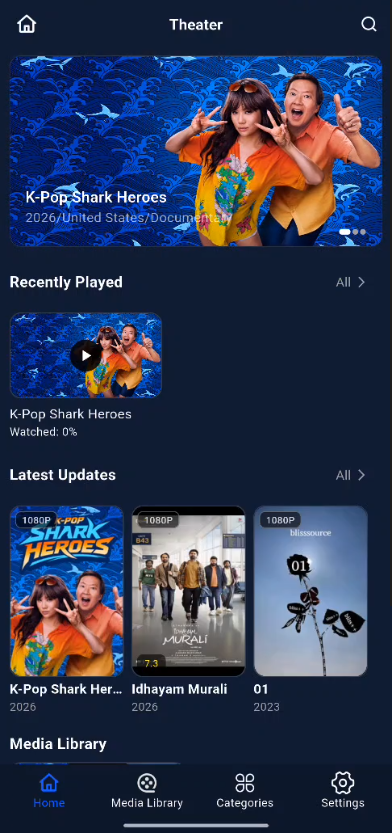
Poster View Display
The Film and Television Center offers beautifully designed poster backgrounds to enhance the visual experience of your movies and TV shows.
Switching Between Episode Views
● For series with multiple episodes, you can quickly locate the episode you want to watch using the Episode Number view, making it easier to find what you're looking for.

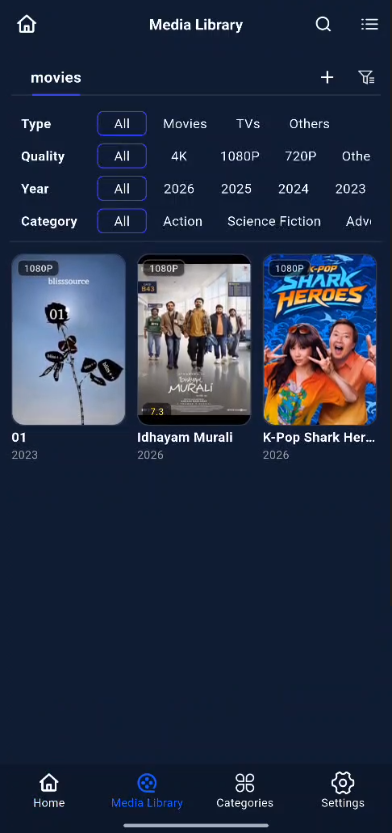
Filtering and Sorting
● Filter Function: Offers six major categories of tags—status, progress, genre, region, year, and type—allowing users to quickly filter movies based on their needs.
● Sorting Function: Supports four sorting methods—title, date added, release date, and rating—and allows users to choose between ascending and descending order for personalized management.
Movie Details Page
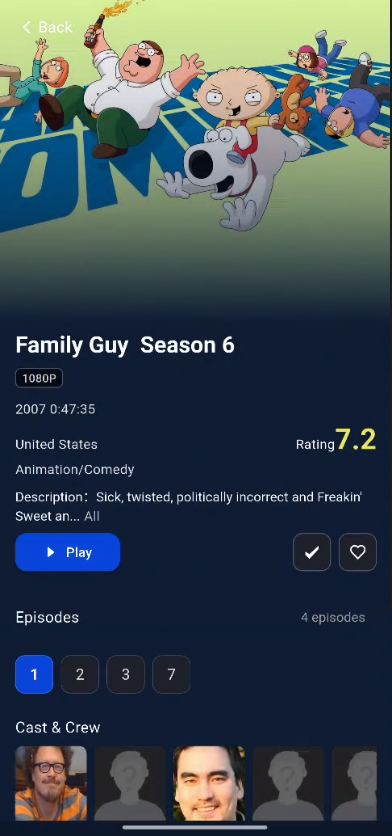
● Basic Information: Displays the title, rating, year, genre, region, runtime, plot summary, cast information, video resolution, video metadata, audio information, and more.
Edit Poster Information
If the movie details are incorrectly matched, you can "Re-match" or "Manually Identify" them on the poster details page.
Steps for Manual Recognition
-
Tap the “...” button and select “Manual Recognition.”
-
Enter the correct movie title (e.g., Civil War), then tap “Search” to trigger smart recognition.
-
Select the correct movie from the search results, and the system will automatically update the complete movie information.
Download/Delete Source Files
Delete Source Files
● Hover your mouse over an individual poster card, click “...” > “Delete Source File.” Deleted files can be recovered from the Recycle Bin in the “File Manager” app.
Download Videos
● Movies: Hover your mouse over an individual movie’s poster card, click the “...” button, and select “Download” from the pop-up menu to download the video to your device.
●** TV Episodes**: To download TV episodes to your device, use the “File Manager” app.